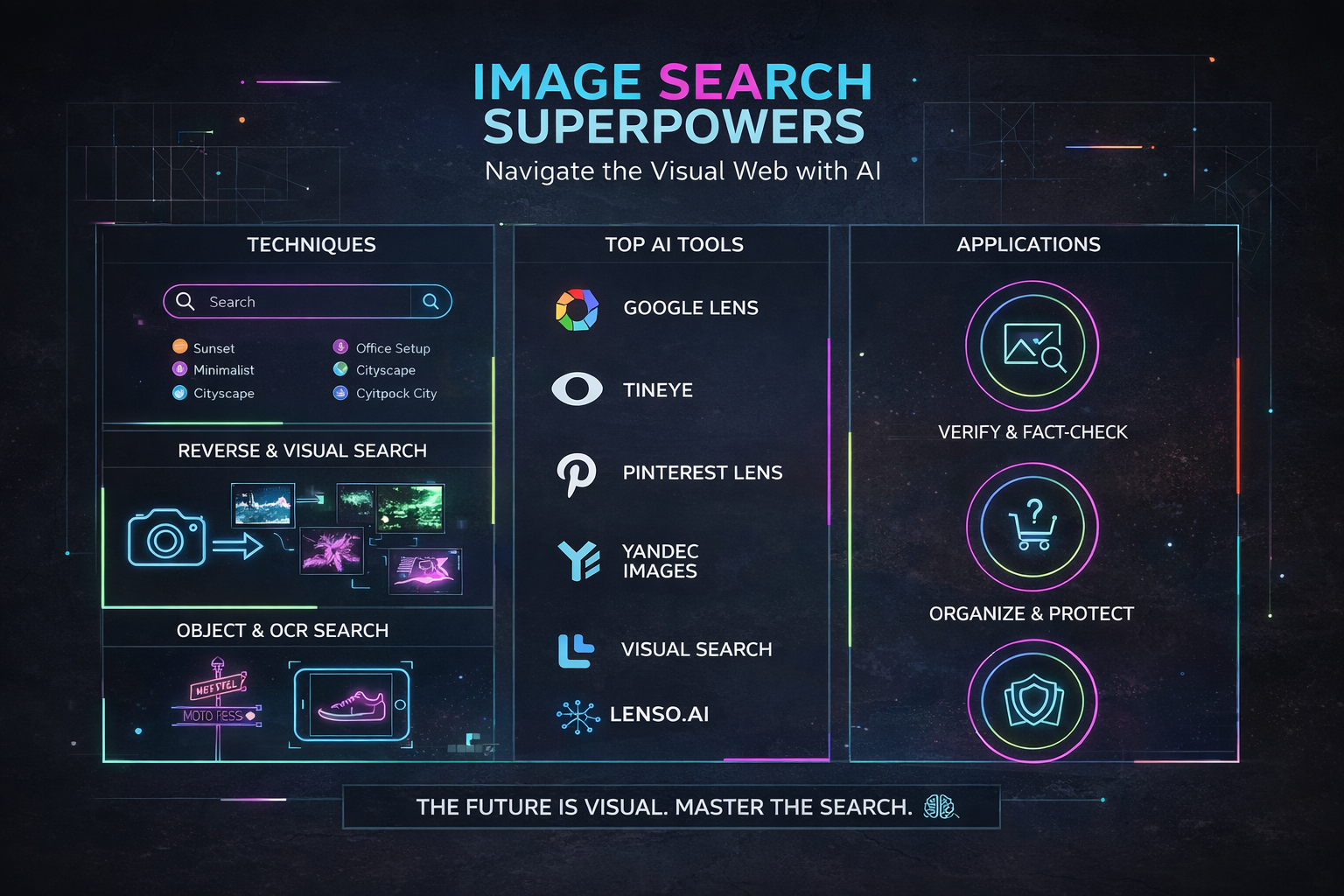
Image Search Techniques rule the modern internet, and they do it quietly but powerfully. From social media posts and memes to product photos and infographics, visuals now drive how people learn, shop, trust, and decide. If you know how to search images smartly, you instantly gain an edge—whether you are a student, creator, marketer, or just curious about something you saw online.
In this guide, you’ll walk through how image search works, the main types of image search techniques, the best tools to use, the biggest mistakes to avoid, and how this technology is evolving into something almost sci‑fi level. By the end, you’ll know how to use image search like a pro in both your daily and professional life.
What Is Image Search?
Image Search Techniques is a way to find information using pictures instead of (or alongside) plain text. Instead of only typing keywords, you can upload or paste a link to an image and get visually similar, related, or matching results from across the web.
You might use image search to:
-
Check where a photo first appeared online or who created it.
-
Identify a product, place, plant, or animal in a picture.
-
Verify whether an image has been edited, misused, or taken out of context.
This is why image search is massive in journalism, eCommerce, digital marketing, and social media fact‑checking—anywhere authenticity and visual context really matter.
How Image Search Actually Works
Under the hood, image search is powered by computer vision, machine learning, and huge visual databases. When you enter a keyword or upload an image, the system doesn’t just “look” at it like you do—it converts it into numbers and patterns.
Here’s what typically happens:
-
The engine extracts visual features: colors, shapes, textures, edges, and patterns from the image.
-
These features are compared with billions of indexed images stored on servers worldwide.
-
It also checks metadata like file name, alt text, captions, EXIF data, and the surrounding page content.
For example, upload a picture of a red handbag, and the system analyzes its color, pattern, and shape, then surfaces visually similar bags from online stores and websites. Do the same with a photo of a landmark, and it may identify the location, show maps, travel details, and related content.
Keyword‑based image search leans heavily on text signals, while visual search and reverse search go deeper into pixel‑level analysis using AI.

Main Types of Image Search Techniques
Different goals call for different Image Search Techniques. When you understand what each technique is best at, you stop guessing and start getting spot‑on results.
Keyword‑Based Image Search
Keyword‑based image search is the classic method everyone starts with: you type a few words, hit search, and browse the images. It relies on:
-
Alt text
-
File names
-
Captions
-
Titles
-
Surrounding page content
This method is ideal when:
-
You want generic visuals (e.g., “sunset over mountains”, “office teamwork illustration”).
-
You have a clear concept in mind but no reference image.
Because it’s text‑driven, your results depend heavily on how well images are labeled and described. Precise, descriptive keywords almost always beat vague one‑word searches.
Reverse Image Search
Reverse image search flips the usual process: instead of typing text, you upload a picture or paste its URL, and the engine finds identical or similar images across the web. This technique is part of content‑based image retrieval (CBIR), which analyzes the actual visual content instead of just text labels.
Typical uses include:
-
Tracking where a photo appears online and spotting plagiarism or stolen visuals.
-
Finding a higher‑resolution or uncropped version of an image.
-
Checking whether a viral picture has been manipulated or used in fake news.
Reverse image search is crucial for journalists, brands, photographers, and anyone who cares about originality and truth.
Visual Similarity Search
Visual similarity search doesn’t just look for exact copies—it looks for images that look similar. Think of it as saying, “Show me things with the same vibe.”
It focuses on:
-
Layouts and compositions
-
Shapes and structures
-
Textures and styles
-
Color schemes
This is especially powerful in:
-
Fashion: find clothes with a similar cut, color, or style.
-
Interior design: discover décor that matches a piece of furniture you love.
-
eCommerce: show customers related products with a similar look and feel.
In simple terms, reverse search looks for “this exact thing or close copies,” while visual similarity search looks for “things that look like this.”
Color and Pattern‑Based Image Search
Sometimes you don’t care about a specific object—you care about color and mood. That’s where color and pattern‑based search comes in.
You might:
-
Filter results to only show a certain color (e.g., only blue images for a campaign).
-
Match gradients and tones for consistent branding across platforms.
Design tools, stock libraries, and search engines often include:
-
Color pickers to filter by hex or palette.
-
Pattern‑based matching to find similar textures or prints.
This is a favorite method for designers, advertisers, and brand managers who need visual consistency across campaigns.
Object and Facial Recognition Search
Object and facial recognition take image search to another level of precision. Instead of just matching an image as a whole, the system identifies specific elements inside it.
These technologies can:
-
Recognize faces and compare them across images.
-
Detect logos, vehicles, animals, products, and even handwriting.
They are widely used in:
-
Law enforcement and security for suspect identification and tracking stolen goods.
-
Media and journalism to verify who or what appears in a photo.
-
Social media platforms for tagging, filters, and content moderation.
Face recognition is a specialized form of visual search focused on identifying individuals using facial features, which also raises privacy and ethical questions.
When to Use Each Image Search Technique
Choosing the right method is half the battle; the other half is knowing when to combine them.
Use:
-
Keyword‑based search when you want ideas, concepts, or general visuals and you can clearly describe them in words.
-
Reverse image search when you want to find the original source, detect duplicates, or verify authenticity.
-
Visual similarity search for style‑driven tasks like fashion, décor, and product discovery.
-
Color/pattern search when maintaining brand identity or mood boards is the priority.
-
Object/facial recognition for identification, security, media analysis, and advanced research.
Often, the best results come from combining techniques. A marketer might start with a keyword search for concept ideas, then run reverse searches on chosen images to check original sources and licenses before using them.
Top Tools for Image Search
There no single “best” Image Search Techniques engine; each shines in a different area. The smart move is to mix and match.
Google Images – The Default Workhorse
Google Images is still the go‑to platform for both keyword‑based and reverse image searches. You can type keywords, paste a URL, or upload a file, then refine results by size, color, type, time, and usage rights.
Strengths:
-
Massive index and strong relevance algorithms.
-
Integration with Google Lens for object recognition and shopping results.
Great for everyday searches, SEO checks, and general discovery.
Lenso AI – Face Search & Deep Reverse Search
Lenso.ai specializes in AI‑powered reverse image and face search, especially useful for tracking where your pictures appear online. It helps you:
-
Find stolen content and unauthorized uses of your photos.
-
Detect catfishing, impersonation, or potential fraud by checking profile images.
It also supports alerts when new matches show up, making it handy for ongoing brand and identity protection.
TinEye – Best for Origins and Duplicates
TinEye is built purely for reverse image search, with a strong focus on image fingerprinting and provenance. It can detect:
-
Duplicates and altered versions (cropped, resized, color‑adjusted).
-
Early or original uses of an image when you sort by date or size.
Journalists, agencies, and photographers use TinEye to spot copyright violations and verify authenticity.
Bing Visual Search – Great for Shopping and Objects
Bing’s visual search lets you highlight just a part of an image—like a pair of shoes in a full‑body photo—and then find visually similar products. It’s popular for:
-
Online shopping and price comparison.
-
Object identification for everyday items and décor.
Tightly integrated into Microsoft Edge, it’s convenient for quick lookups while browsing.
Pinterest Lens – Lifestyle, Fashion, and Décor Inspiration
Pinterest Lens turns any snapshot into a visual inspiration feed. You can take a photo or upload one and instantly see related ideas in:
-
Home décor and interiors
-
Outfits and fashion accessories
-
DIY, recipes, and lifestyle content
For creators and everyday users, it’s like having a mood‑board generator in your pocket.
Yandex Images – Strong Visual Recognition Alternative
Yandex Images, from Russia’s major search engine, is particularly strong at recognizing faces, landmarks, and certain art styles. Many researchers and OSINT professionals cross‑check results between Google, Bing, and Yandex to uncover extra matches.
It’s especially useful when:
-
Searching Eastern European or Russian‑language web content.
-
Confirming people and places that other engines may miss.
Shutterstock – For Copyright and Licensed Content Tracking
Shutterstock is known as a stock photo marketplace, but it also provides a reverse image search tool for registered users. Creators and brands can:
-
Track where their licensed assets appear online.
-
Monitor potential misuse or unauthorized distribution of their visuals.
It supports better copyright management and encourages responsible image usage.
Best Practices for Effective Image Searching
Getting good results is part art, part technique. A few smart habits can dramatically increase your success rate.
-
Use clear, high‑quality images when searching by image; blurry, heavily cropped, or over‑edited visuals confuse the algorithms and reduce match accuracy.
-
Be specific with keywords: “black leather running shoes” beats “shoes” every single time.
-
Try multiple tools—Google, Bing, TinEye, Yandex, Pinterest, and Lenso all use different indexes and algorithms.
-
Use filters for size, color, usage rights, and time to quickly narrow down to images you can legally and practically use.
And always read licensing info and copyright notices before downloading and reusing images to stay on the right side of the law and respect creators.
Common Mistakes to Avoid
Even tiny missteps can ruin your search results or cause bigger problems later.
Avoid:
-
Searching with low‑resolution or heavily cropped images when you’re trying to find the source or better versions.
-
Relying on just one engine; each tool sees a different slice of the web.
-
Ignoring filters and advanced options, which leads to tons of irrelevant results.
-
Overloading keyword queries with too many unrelated terms; concise, targeted phrases work better.
-
Reusing images without checking usage rights, which can create serious legal and reputational issues.
Keeping your queries simple but specific—and spreading your search across multiple engines—usually delivers the best outcomes.
Practical Real‑World Uses of Image Search
Image search has quietly become a backbone technology across multiple industries.
Some major applications:
-
Journalism & media verification: Reporters confirm whether photos are real, old, reused, or edited before publishing stories.
-
eCommerce & shopping: Retailers let customers upload a product photo to find the same or similar items to buy.
-
Design & creative work: Designers and marketers use visual, color, and pattern search for style inspiration and brand consistency.
-
Education & research: Students and teachers locate visual references, check sources, and maintain academic integrity in projects.
-
Law enforcement & security: Agencies use facial and object recognition to identify suspects, track stolen goods, or detect counterfeit items.
-
Marketing & brand protection: Companies monitor online usage of logos, products, and campaign imagery.
-
Social media & creator monitoring: Influencers and artists track reposts, uncredited shares, and misuse of their content.
Wherever images matter, image search is working in the background.
The Future of Image Search
Image search is quickly evolving from “find similar pictures” to “understand what this scene means.” Advances in AI, deep learning, and multimodal search are making results more accurate, contextual, and personal.
What a coming next:
-
Systems that understand not just objects, but emotions, settings, and relationships inside images.
-
Seamless integration with augmented reality and wearables, where pointing your camera at anything instantly gives you information, reviews, recipes, or buying options.
-
More personalized search that factors in your past behavior, preferences, and intent to surface exactly what you need.
At the same time, privacy, consent, and ethical use of facial recognition and biometric data will stay at the center of global debates and regulations. The future of image search is powerful—but it must also be responsible.
Conclusion
Image search techniques have transformed how visual content flows, gets discovered, and gets trusted online. From verifying news and tracking copyright to powering shopping and creative inspiration, these tools sit quietly behind countless daily decisions.
Each Image Search Techniques—keyword search, reverse image search, visual similarity, color and pattern matching, and object or facial recognition—has its own strengths and ideal use cases. When you understand how they work and when to use each one, you move from casual user to confident, strategic searcher.
Think of Image Search Techniques as your visual detective, personal shopper, and fact‑checker rolled into one. The more you experiment with different tools and search methods, the more natural it becomes to turn any picture into reliable information, inspiration, or action. Use these techniques to protect your work, sharpen your research, enhance your creativity, and navigate an internet where seeing is no longer automatically believing.