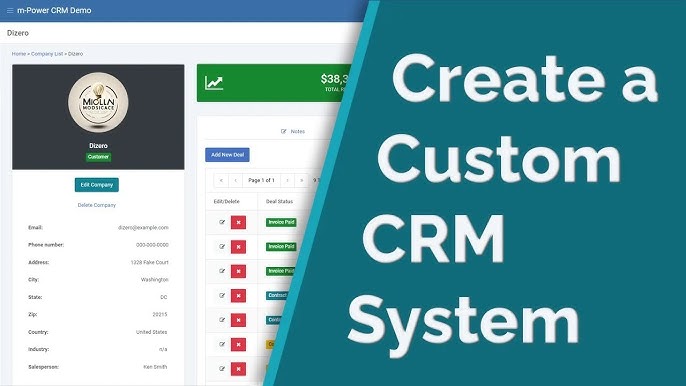
Building your own CRM can give you a perfect fit for your processes, but buying a proven CRM is usually faster, safer, and cheaper in the long run for most small and mid-sized businesses. The best choice for your company depends on your budget, in-house tech skills, growth plans, and how unique your workflows really are.
What a CRM Does for Your Business
A customer relationship management (CRM) system is the central brain of your sales, marketing, and support operations. It collects and organizes customer data so your team can track leads, deals, conversations, and revenue from one place.
Key things a CRM helps you do:
-
Store all customer and lead information in one secure database.
-
Track every interaction: calls, emails, meetings, demos, and support tickets.
-
Automate repetitive tasks like follow-up emails, reminders, and task assignments.
-
Build reports and dashboards to see pipeline, win rate, and sales performance.
-
Improve collaboration between sales, marketing, and support teams.
Without a solid CRM, data is scattered across spreadsheets, inboxes, and chat tools, which leads to lost deals and poor customer experience.
Pros of Building Your Own CRM
Building your own CRM means you design and own the entire system end to end, from data model to features. This route can be attractive if your workflows are very specific or off-the-shelf tools keep forcing you into awkward workarounds.
Main advantages:
-
Perfect process fit: You can model your exact sales stages, approval flows, fields, and automations instead of adapting to a generic tool.
-
Ownership and control: You fully control features, roadmap, and integrations, with no dependency on a vendor’s priorities.
-
Deep integrations: You can tightly connect the CRM to your internal systems (custom apps, billing, ERP, etc.) in ways standard CRMs may not support.
-
Long‑term flexibility: As you grow, you can change architecture, modules, and UX without waiting for a vendor to release features.
-
Potential cost leverage at scale: For very large teams, a custom CRM can eventually be cheaper than paying high per‑user license fees.
For example, a niche B2B company with complex pricing approvals and multi‑step partner workflows might struggle to implement everything in a generic CRM without heavy add‑ons.
Cons and Risks of Building Your Own CRM
The flip side is that when you build, you also inherit all the risk and responsibility. That goes far beyond just writing code once.
Key downsides:
-
High upfront cost: Custom CRM development demands serious investment in architecture, UX, backend, security, and infrastructure.
-
Long time to launch: Designing, developing, testing, and rolling out a CRM can take months or even years, delaying benefits.
-
Ongoing maintenance burden: Bug fixes, performance tuning, security patches, compliance updates, and feature requests never stop.
-
Talent dependency: You must hire, train, and retain developers and product owners who understand both your business and the tech stack.
-
Project risk: Scope creep, delays, cost overruns, and failed releases are common when building complex internal software.
-
Security and compliance responsibility: You are responsible for protecting sensitive customer data and meeting regulatory requirements.
AWS notes that building your own CRM requires substantial ongoing work in coding, security, compliance, and project management, and that inconsistent maintenance can expose your customer data to serious risk. LeadsBridge similarly highlights that with an in‑house CRM you “own the team problem” and “own the project risk,” including delays, rework, and tech debt.
Pros of Buying a Ready‑Made CRM
Buying an off‑the‑shelf CRM means you adopt a tried, tested platform and configure it to your needs instead of reinventing the wheel. For most small and midsize businesses, this is the more practical starting point.
Advantages include:
-
Fast time to value: You can be up and running in days or weeks instead of months.
-
Lower upfront cost: Subscription pricing spreads cost over time instead of a big lump‑sum investment.
-
Mature feature set: You get contact management, pipelines, email sync, automation, reporting, and often support center features out of the box.
-
Built‑in best practices: Many CRMs encode proven sales and support workflows that help you professionalize your process.
-
Ecosystem and integrations: Popular CRMs offer app marketplaces and pre‑built connectors for email, marketing tools, telephony, and accounting.
-
Shared responsibility for security: Vendors handle infrastructure security, updates, and platform reliability.
AWS points out that buying a CRM reduces the “heavy lift” on internal resources, since you don’t need to build or maintain complex software. For many SMBs, that alone is a decisive factor.
Cons of Buying a Ready‑Made CRM
Off‑the‑shelf tools are powerful, but they’re built for broad use, not just your specific business. That naturally creates a few trade‑offs.
Key limitations:
-
Not perfectly tailored: You may need to adjust your workflows to fit the way the CRM is designed.
-
Feature bloat: You might pay for modules and options your team never uses, which can clutter the interface.
-
Customization limits: You can configure and extend within the vendor’s framework, but you cannot control the underlying architecture.
-
Add‑on costs: Advanced features, higher usage tiers, or extra integrations often require additional subscriptions.
-
Vendor lock‑in: Migrating away later can be complex and expensive, especially after years of data and automation built on one platform.
LeadsBridge notes that off‑the‑shelf CRMs rarely match a business’s processes one‑to‑one and often come with unused features and upsell costs. Still, for many organizations, these drawbacks are manageable compared to the effort of building from scratch.
Build vs Buy: Side‑by‑Side
Here’s a simple view to compare building your own CRM vs buying one:
| Aspect | Build Your Own CRM | Buy a Ready‑Made CRM |
|---|---|---|
| Upfront cost | High: design, development, infrastructure, security. | Lower: subscription fees, setup, training. |
| Time to launch | Long (months+). | Short (days to weeks). |
| Fit to your processes | Excellent; fully tailored. | Good; configurable but not perfect. |
| Maintenance & updates | Fully your responsibility. | Vendor maintains platform. |
| Security & compliance | You own all risk and controls. | Shared; vendor manages platform security. |
| Integration flexibility | Very high; any custom integration possible. | High but within vendor’s ecosystem. |
| Long‑term cost | Potentially lower at large scale; risky if usage changes. | Predictable monthly/annual cost, may rise with seats/features. |
| Ideal for | Unique processes, strong dev team, complex internal systems. | Most SMBs needing proven, fast, reliable CRM. |
How to Decide What’s Best for Your Business
There is no one‑size‑fits‑all answer, but you can use a simple decision framework around four core questions.
-
How unique are your processes?
-
If 80–90% of your workflows look like standard sales and support motions, a ready‑made CRM with some customization is usually enough.
-
If your pricing, approvals, or service model are extremely specific and critical to your edge, a custom or heavily extended CRM may be justified.
-
-
What is your budget and risk appetite?
-
If you need quick wins and have limited budget, buying a CRM is the safer bet.
-
If you can invest heavily now for long‑term control, and you accept the risk of project overruns, building might be viable.
-
-
Do you have strong technical capacity in‑house?
-
If you don’t have an experienced product and engineering team, building your own CRM is usually a bad idea.
-
Even with a capable team, consider the opportunity cost: those developers could be enhancing your core product instead of internal tools.
-
-
How fast do you need results?
-
If your sales and service operations are struggling today, buying and implementing a CRM quickly can unlock immediate improvements.
-
If you’re planning ahead for a large‑scale transformation and can afford a phased rollout, you might explore a custom build.
-
Google’s helpful content guidelines also matter here: whichever direction you choose, your CRM should help you serve customers better, respond faster, and provide more relevant, user‑first experiences. That’s ultimately what drives brand trust, retention, and search performance.
More Article: 10 Mistakes to Avoid When Building Your Own CRM from Scratch
Practical Recommendation and High‑Authority Resource
For most small and mid‑sized businesses, buying a proven CRM and configuring it well is the best starting point, and building a fully custom CRM only makes sense later, once your processes and scale clearly demand it. A common path is to start with a flexible, off‑the‑shelf CRM, then add custom integrations or specialized modules as you grow, and only consider a full custom build if you truly hit hard limits.
If you want to go deeper into the pros and cons for SMBs specifically, this AWS guide gives a solid overview of the build‑vs‑buy decision for CRM and highlights real‑world risks and resource implications: https://aws.amazon.com/blogs/smb/should-my-smb-build-or-buy-its-own-crm-pros-cons-and-practical-use-cases/. Studying examples like this before committing budget will help you make a grounded choice that fits your current stage and future growth plans.