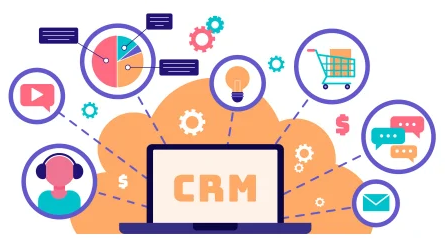
For small contractors, a simple CRM built for the construction industry can be the difference between missed calls and a full project pipeline with happy repeat clients. When all leads, quotes, site visits, and client updates live in one organized system instead of scattered notebooks and WhatsApp chats, you follow up faster, make fewer mistakes, and win more profitable jobs.
What CRM Means in the Construction Industry
In construction, CRM (Customer Relationship Management) is software that stores all your client, lead,
and project interaction data in one place so you can manage relationships, bids,
and communication more efficiently. Unlike generic tools,
a CRM for the construction industry is designed around long sales cycles, site visits,
estimates, approvals, and ongoing project updates.
Instead of relying on multiple spreadsheets, phone logs, and individual staff memory,
CRM gives you a centralized dashboard of who called, what they need,
which stage their project is in,
and what follow-up is due next. This is especially important for small contractors who handle sales, site supervision,
and finance themselves, and cannot afford lost time hunting for old messages.
Why Small Contractors Struggle Without CRM
Many small contractors still run their business on paper diaries, personal phones,
and basic Excel sheets, which creates hidden leaks in their sales and client service. Typical problems include missed call-backs,
forgotten site visits, lost inquiry details, and confusion over which version of a quote was sent.
When a business grows from 2–3 projects to 10–15 active clients, this manual system starts breaking down, leading to slow responses and poor client experience. In a competitive construction market,
clients often choose the contractor who responds first and communicates clearly, not just the cheapest quote,
so disorganized follow-up directly costs revenue.
Key Benefits of CRM for Small Construction Contractors
For small contractors, CRM in the construction industry delivers very practical,
day-to-day advantages that show up quickly in revenue and reputation.
-
More leads captured
Every call, website form, WhatsApp inquiry, and referral gets logged automatically, so you no longer lose potential clients due to misplaced notes or forgotten messages. -
Faster, more consistent follow-up
The system sets reminders for call-backs, quote sending, and site visits, which means prospects hear from you quickly and feel taken seriously. -
Clear pipeline of jobs
You can see which leads are new, which quotes are pending, and which projects are in progress, so you always know where to focus your time. -
Better client communication
Every call, email, and site discussion is recorded under the client’s profile, making it easy to answer questions like “What did we agree last week?” or “When did you promise delivery?”. -
Stronger repeat business and referrals
By tracking past projects, birthdays, anniversaries, or maintenance schedules, you can stay in touch with old clients and turn one-time jobs into long-term relationships.
For a small contractor, even a modest increase in conversion rate and repeat jobs from these improvements can cover the cost of CRM many times over.
How CRM Boosts Client Relationships Specifically
Client relationships are the real foundation of success in the construction industry,
because a happy client often brings referrals and repeat work for years. CRM tools give you structure to
treat every client like a VIP,
even if you have a small team and a busy schedule.
-
Personalized communication
With full history of conversations and project details, you can address clients by name, recall their preferences, and avoid asking the same questions again and again. -
Transparency and trust
Many construction clients worry about delays and cost overruns; a CRM lets you send timely progress updates and maintain a record of milestones, decisions, and approvals. -
Fewer misunderstandings
When you log change requests, revised drawings, and confirmed extra work in one place, there is less scope for disputes about what was agreed on site.
Imagine a small home-renovation contractor managing ten clients at once: with CRM,
they can see which client is waiting for a revised estimate, who needs tile samples approved,
and who is due a status call today, all in a single view.
Practical Ways Small Contractors Use CRM Daily
You do not need a massive system to see value; even simple,
focused CRM features can transform the way you run your day.
-
Lead intake
Every new inquiry from phone, social media, website, or walk-in is entered as a lead with basic details, project type, expected budget, and source. -
Estimating and quoting
You can attach site photos, drawings, and documents to the lead and track when you sent the estimate and whether the client opened or responded to it. -
Task reminders
CRM sets follow-up reminders for things like “Call client after sending quote,” “Confirm start date,” or “Collect final payment,” so nothing slips. -
Project notes and documents
Site instructions, approvals, and updated plans are stored under the project, accessible from office or mobile, so the team is always aligned. -
After-completion follow-up
Once the job is finished, the CRM can remind you to ask for reviews, testimonials, or referrals, which helps build your local brand.
Because everything is searchable, you can pull up “all villa renovation clients in 2025,” see their budgets and outcomes, and plan better pricing and marketing for future jobs.
Choosing the Right CRM for the Construction Industry
Not every CRM is suitable for a small contractor, so it is important to pick one that matches construction workflows instead of generic office sales pipelines.
The best CRM construction industry tools for small teams focus on simplicity, mobile access,
and basic project tracking rather than complex enterprise features you will never use.
Look for features like contact and lead management, quote and project tracking, task reminders,
document storage, integration with email and possibly accounting,
and mobile apps for use on site. Reputable vendors that specialize in construction or
small-business CRM often provide ready-made templates and onboarding content to help you implement faster.
For deeper guidance on selecting and rolling out a CRM in the construction industry,
you can refer to resources such as Building Radar’s overview of CRM solutions for construction companies,
which explains how different tools support project management and client communication.
Learning from such high-authority industry guides can help you avoid
common implementation mistakes and choose a scalable system.
More Article: CRM in the Construction Industry: Best Practices to Win More High-Value Projects
Simple Implementation Plan for Small Contractors
A phased approach helps small contractors adopt CRM without disrupting ongoing jobs. Start with a limited set of features and
grow usage as your team becomes comfortable.
-
Define what you want to fix
Decide whether your top pain is missed leads, slow follow-up, or poor visibility of ongoing jobs, and prioritize features that directly address that pain. -
Import existing contacts
Move current clients, active leads, and recent projects into the CRM so you can start using it with real data instead of testing in isolation. -
Standardize basic workflows
Create simple steps for “New Lead → Site Visit → Estimate Sent → Won/Lost” and ensure everyone follows the same process. -
Train the team and use daily
Even a very small crew should log calls, update statuses, and set reminders daily so data remains current and useful. -
Track results
After a few months, check how many more leads you converted, how many fewer calls you missed, and how client satisfaction has improved.
This small, disciplined routine ensures your
CRM construction industry investment converts into real-world improvements in revenue and reputation,
instead of becoming just another unused software subscription.