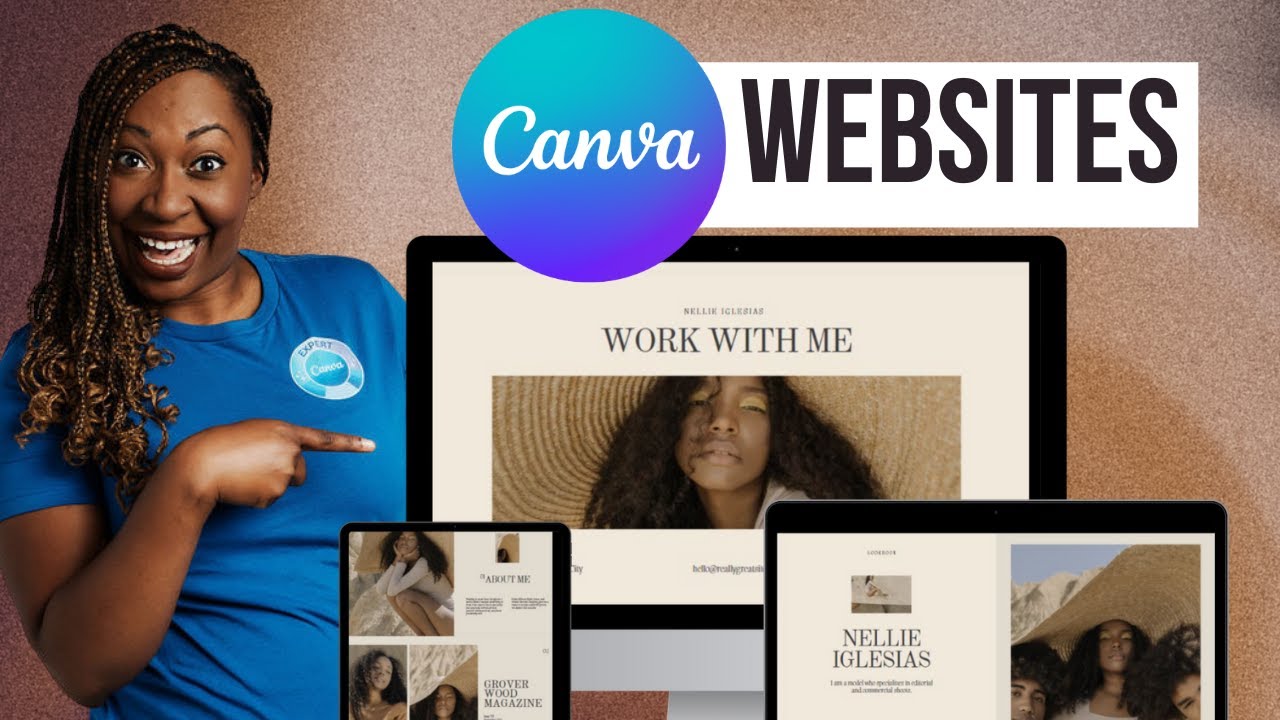
If you have a business idea, a blog concept, or a B2B service but still no website, you can absolutely make a website with Canva in a single weekend—even as a complete beginner. In this guide, you’ll learn how to plan, design, and launch a simple, lead‑ready site while also setting up the basic marketing foundations you need for long‑term growth.
Why Canva Is Perfect for First‑Time Website Creators
If you have ever asked, “Can I create a website using Canva?” the answer is yes—and for many beginners, it’s actually the easiest starting point. Canva combines drag‑and‑drop web design with ready‑made templates, so you don’t need coding skills or expensive software.
Some key benefits of using Canva for your first website:
-
Visual, drag‑and‑drop interface, ideal if you think in layouts and images rather than code.
-
Large library of templates you can customize to your brand colors, fonts, and messaging.
-
Quick publishing options for simple one‑page or multi‑page sites, good for MVPs, landing pages, or appointment funnels.
-
Easy reuse of your designs for social posts, lead magnets, and webinar graphics so your brand looks consistent everywhere.
For a weekend build, Canva keeps you focused on decisions that matter: offer, messaging, and design clarity, not technical setup.
Step 1: Define Your Goal and Buyer Journey
Before you touch a template, get clear on what you want your website to do. A “pretty” site that doesn’t generate leads or nurture prospects is just digital decoration.
For most B2B or service brands, your site should support the three stages of the buyer’s journey:
-
Awareness: Problem recognition—your visitor realizes they have a challenge.
-
Consideration: Solution exploration—they compare options, tools, or providers.
-
Decision: Purchase or sign‑up—they pick a provider, book a call, or register.
If your goal is lead generation, design your site so it supports a clear lead flow process:
-
Cold lead advertising and traffic source attribution send visitors to a focused landing page.
-
They become mid funnel leads by downloading a guide, registering for a webinar, or booking a discovery call.
-
You then use content, email, and marketing automation advantages to warm them toward a purchase.
Even a simple Canva site can play this role, as long as you build it with this flow in mind.
Step 2: Plan Your Pages and Content Structure
Next, sketch a minimalist site map. For a one‑weekend build, keep it lean so you can launch quickly:
-
Home (or main landing page, possibly an appointment booking funnel).
-
About or “Why Work With Us” page.
-
Services or Offer page (for your main product, fractional CMO services, coaching, or consulting).
-
Blog page (optional but powerful for a blogging strategy for leads).
-
Contact or “Book a Call” page.
As you plan, think about your B2B website KPIs:
-
Number of qualified leads or appointments booked.
-
List growth rate (how fast your email list grows from forms or lead magnets).
-
Conversion rate from visitor to lead.
-
Engagement with content or webinars for beginners.
Map each page to a specific action. For example, your Home page might focus on getting visitors into an appointment funnel, while your Blog is designed to nurture prospects and answer questions at the mid‑funnel stage.
Step 3: Choose the Right Canva Template
Now open Canva and search for “website” or “landing page” templates. To evaluate website design quickly and avoid decision paralysis, use simple website activeness evaluation criteria:
-
Clarity: Can a first‑time visitor understand what you do in 3 seconds?
-
Focus: Is there one dominant call‑to‑action (CTA) per page (book a call, download, subscribe)?
-
Readability: Is the typography large and clean, with enough white space?
-
Mobile‑friendliness: Does the template preview look good on smaller screens?
This is your first informal web design analysis. Later, you’ll deepen it with more structured web design evaluation and traffic attribution data, but for a weekend project, “clean, focused, and readable” is your benchmark.
If you plan to blog on Blogspot or similar, also check how your site graphics will pair with your blog’s visual settings, including blogger header dimensions, blogspot header dimensions, and blogspot banner size so things don’t look stretched or pixelated.
Step 4: Customize Colors, Fonts, and Brand Basics
A simple, consistent brand makes your site look more authoritative, even if it’s brand new. Authoritative websites are not just about domain age—they also look trustworthy and coherent.
In Canva:
-
Pick 2–3 brand colors, max. One primary, one accent, and one neutral works well.
-
Choose 1–2 fonts—one for headings and one for body copy.
-
Apply these settings across your pages so every section feels unified.
This is also the time to think about your header and hero sections. Many bloggers later reuse hero graphics as blog headers, so designing with common blogger header dimensions in mind helps you repurpose assets without distortion.
When you keep design simple and aligned, you’re already moving toward authoritative content presentation, which can improve user trust and lead quality.
Step 5: Write Clear, Action‑Driven Copy
Design attracts; copy converts. To ensure your content drives action, every main section should do at least one of the following:
-
State a clear benefit to the visitor.
-
Answer an objection or question they are likely to have.
-
Point them toward the next step (CTA).
A few practical blogging best practices and web copy tips that also apply to your site:
-
Use short paragraphs and scannable subheadings.
-
Include bullet lists for features of marketing automation, service benefits, or outcomes.
-
Address both new and existing customers by showing how you support the full customer lifecycle.
-
Avoid jargon unless your audience expects it (for example, B2B marketers might understand UTM sheet or non attribution traffic).
If you are positioning services such as fractional CMO services, highlight the benefits of a fractional chief marketing officer CMO, like strategic leadership without full‑time cost, improved lead generation process flow chart, and sharper B2B lead management process. This distinctive offer can help your site stand out in competitive niches.
Step 6: Build an Appointment or Booking Funnel
If your primary goal is to book calls or demos, your website should act as an appointment funnel rather than a brochure. A basic appointment booking funnel or booking funnel can look like this:
-
Paid or organic traffic from search, content, or cold lead advertising.
-
Landing page with a compelling offer (audit, consultation, or webinar for beginners).
-
Simple booking form connected to your calendar tool.
-
Thank‑you page with next steps and optional content for further nurture.
You don’t need complex tech to start. Even with Canva, you can embed or link to an external booking tool, making your site a functional lead‑capture asset in one weekend.
Step 7: Connect Email and Automation for Lead Nurturing
Once people opt in, you want to nurture prospects without doing everything manually. That’s where marketing automation advantages come in. The benefits of marketing automation software include:
-
Trigger‑based automation flows for buyer leads (e.g., send a series of emails when someone downloads a guide).
-
Better tracking of lead nurturing measurement, like open rates and click‑through rates.
-
Segmentation of unqualified leads vs more ready buyers based on behavior.
-
Consistent follow‑up so you don’t forget high‑potential mid funnel leads.
The benefits of using marketing automation tools extend from time‑savings to more precise personalization. At the same time, remember the limitations of automation in email marketing platforms: they can’t replace genuine, authoritative content or human judgment. There are real disadvantages of marketing automation if you over‑automate, such as generic messaging, reduced personal touch, and possible mis‑classification of leads. When you list the advantages and disadvantages of marketing automation, the winning strategy is usually “automation + smart human oversight.”
You can start with a very simple sequence—like a 3‑email follow‑up to every new lead—and refine over time as your list growth rate accelerates.
Step 8: Set Up UTM Tracking and Traffic Attribution
To make your website truly marketing‑ready, you’ll want to understand where your visitors and leads come from. That’s where traffic attribution and source traffic attribution come into play.
At a basic level:
-
Use a simple UTM sheet (spreadsheet) to plan standard campaign parameters.
-
Create a Google Ads UTM parameters list if you’re running paid campaigns, then apply them consistently.
-
Learn how to bulk add UTM parameters to Google Ads to avoid manual errors at scale.
-
In your analytics, watch for non attribution traffic (or non‑direct attribution traffic), where the source is unclear or missing.
A bit of structure at this stage helps you later evaluate which campaigns or channels bring not just any leads, but fewer unqualified leads and more high‑value opportunities.
Step 9: Connect Analytics and Measure What Matters
Even a simple Canva site should be instrumented with basic analytics from day one. Google Analytics metrics for B2B content can tell you:
-
Which pages attract the most visits and promote deeper engagement.
-
How long visitors stay and where they drop off in your lead flow process.
-
Which content pieces or blog posts contribute to conversions.
This data feeds into website activeness evaluation criteria—not just whether your website is technically “alive,” but whether it is actively supporting your goals. Over time, evaluating your site using these metrics helps you refine your blogging strategy for leads, assess your appointment funnel, and decide which content formats work best.
Step 10: Plan Content, Blogging, and Webinars
Once your core site is live, content is what keeps it growing. Some creators wonder, “Is content marketing dead?” The answer is no—what’s dead is unoriginal, low‑quality content that doesn’t help real people.
To create a sustainable blogging strategy for leads:
-
Publish content that answers real buyer questions at each stage of the journey.
-
Balance content vs email marketing instead of choosing one over the other; both work best together.
-
Use blogging best practices: keyword‑informed topics, strong headlines, internal linking, and clear CTAs.
-
Decide how to create original content even if you use AI tools for business analyst tasks, such as research or outline checks—add your own opinions, examples, and case stories.
Webinars also work well for B2B audiences. Learn how to plan a webinar by defining an outcome (e.g., more qualified demos), outlining content that addresses mid‑funnel objections, and promoting it via your email list and social channels. A webinar for beginners can double as a lead magnet and a live Q&A, improving lead quality and trust.
Step 11: Understand Leads and Lead Management Basics
As your site starts working, you’ll deal with different lead types. Knowing what is an unqualified lead and how to handle them keeps your pipeline healthy.
-
Unqualified leads: People who opt in but don’t fit your target profile or readiness criteria.
-
Marketing‑qualified leads: Visitors who engage enough with your content to signal interest.
-
Sales‑qualified leads: Prospects who show strong buying intent (e.g., booking a strategy call).
A clear B2B lead management process uses content, email, and sometimes marketing automation to move people through these stages. When you treat “customer existing” or “exist customer” segments differently from new leads, you can tailor messages—such as upsell offers or success stories—and reduce churn.
Lead nurturing measurement here includes reply rates, meeting attendance, and conversion instead of only email opens.
Step 12: Evaluate and Refine Your Web Design
After launch, take time to evaluate a website design rather than leaving it untouched for months. Website design evaluation or evaluation of website design can be done informally at first:
-
Ask peers or customers if they understand what you do and how to get started.
-
Review your analytics: where do visitors drop off, which sections are ignored, which CTAs work?
-
Compare your site to authoritative websites in your niche and ask what they do that you don’t yet.
From there, learn how to analyze a website design more systematically. Analyse website design with questions like:
-
Are headings descriptive or vague?
-
Do images support or distract from the message?
-
Is the layout consistent across pages?
-
Are CTAs visually prominent and relevant?
As you iterate, your site becomes more aligned with the importance of authoritative content—not only in wording but also in structure and design. When you build and refine authoritative content, you support higher trust, better SEO, and better‑qualified leads.
A Note on Content Moderation and User‑Generated Campaigns
If you include testimonials, reviews, or comments on your site or blog, remember why content moderation is important for user generated campaigns. Poorly moderated content can hurt your brand, confuse potential buyers, or even create legal risks. The same principle explains why content moderation is important for user‑generated campaigns on social media—your brand should remain a trusted source, not a chaotic forum.
Simple guidelines, such as approving comments before publishing and clearly labeling sponsored content, help maintain trust and keep your website aligned with your brand values.
When to Bring in Expert Help
As your website matures, you might reach a point where DIY is no longer enough. This is where the benefits of a fractional CMO become relevant. A fractional CMO is a part‑time marketing leader who can:
-
Create a unified content marketing vs email marketing strategy for both acquisition and nurture.
-
Design a robust lead generation process flow chart that ties your site, ads, automation, and sales together.
-
Prioritize which KPIs and campaigns you should track for sustainable growth.
For a deeper dive into these benefits, you can explore specialised marketing leadership resources such as The Marketing Centre’s overview of fractional CMO advantages, which explains how part‑time strategic leadership can drive tangible growth without the full‑time executive cost.
You don’t need this from day one, but as your traffic, list, and customer base grow, expert guidance can help you scale without chaos.
More Article: How to Build and Leverage Authoritative Websites in a Crowded Niche
Final Thoughts
You don’t need complex tools or months of development to build a website that works. In one weekend, you can:
-
Make a website on Canva that looks clean and trustworthy.
-
Set up basic analytics, UTM tracking, and email capture.
-
Put in place the foundations of marketing automation, content, and webinars that nurture and convert leads.
From there, you’ll iterate—improving your design, sharpening your messaging, and refining your content distribution strategy so every new visitor has a clear next step and every existing customer feels supported. Over time, your simple weekend site becomes a powerful, authoritative hub for your brand.